Hosting Tiers Hub (10 Guides)
Auditing & Pruning wp_options Autoload Bloat With WP-CLI
Orphaned plugin transients and oversized Elementor rollback rows inflate autoloaded options past 3 MB, adding 20-40 MB per PHP worker.
Target autoload < 800 KB (< 1 MB ceiling)
Why Autoload Size Scales Linearly Across Workers
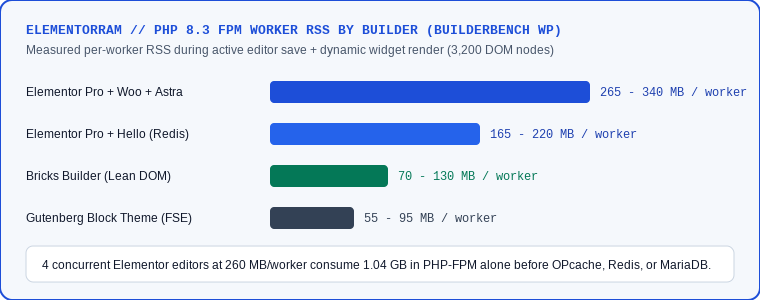
Every single PHP-FPM request loads all rows marked autoload=yes or on/auto-on-all into PHP memory at bootstrap. A 4 MB autoload payload multiplied by 15 PHP workers wastes 60 MB of active RAM plus heavy deserialization CPU.
One-Line WP-CLI Autoload Audit
Run wp option list --autoload=on --fields=option_name,size_bytes --format=table (or query total autoload bytes via wp db query) monthly and switch orphaned plugin options to autoload=no.
Measured Thresholds & Configuration
| Autoload Payload | Boot Latency Impact | Added Worker RSS | Action |
|---|---|---|---|
| < 800 KB | < 12 ms | Baseline | Healthy production state |
| 1 MB - 2.5 MB | 25 - 60 ms | +14 MB / worker | Prune expired transients |
| > 3 MB | 80 - 200 ms | +35 MB / worker | Audit & flip autoload=no |